examples
What Leaf can do
Open any example to try its controls in a private copy for this browser.
Everyday work
-
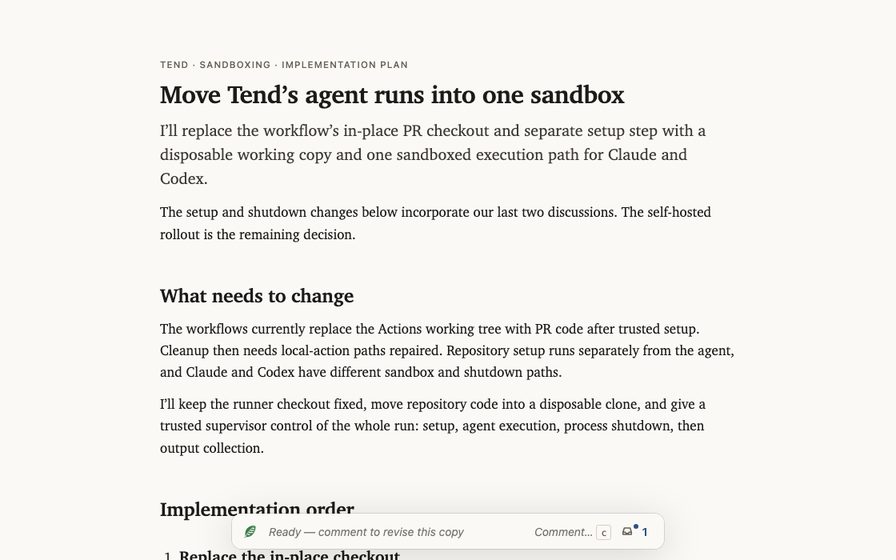 Implementation planning
Review a plan
A plan to isolate agent execution from Tend’s trusted runner: prepare the workspace, sandbox setup and execution, then stop every process before collecting outputs.
Open full page
Implementation planning
Review a plan
A plan to isolate agent execution from Tend’s trusted runner: prepare the workspace, sandbox setup and execution, then stop every process before collecting outputs.
Open full page
-
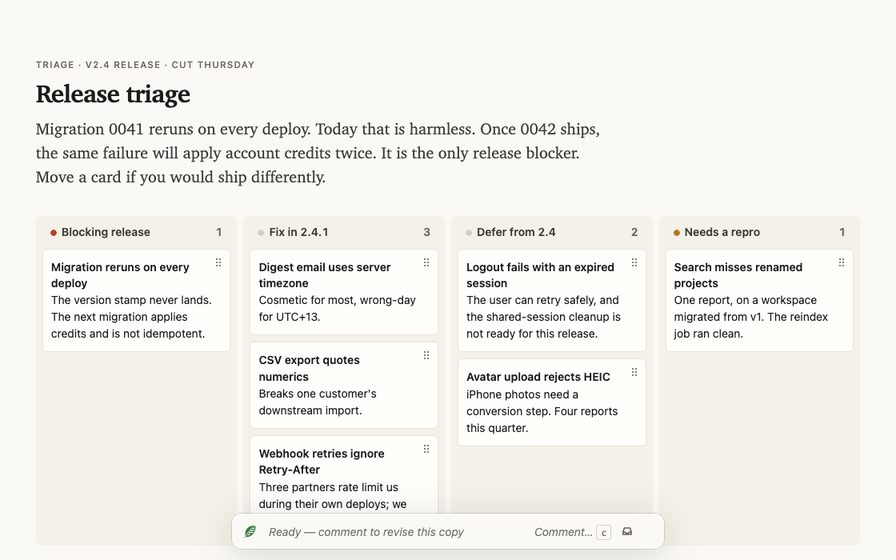 Release planning
Prioritize a board
Order the v2.4 release defects on a board, and keep the migration that would apply account credits twice ahead of the cosmetic work.
Open full page
Release planning
Prioritize a board
Order the v2.4 release defects on a board, and keep the migration that would apply account credits twice ahead of the cosmetic work.
Open full page
-
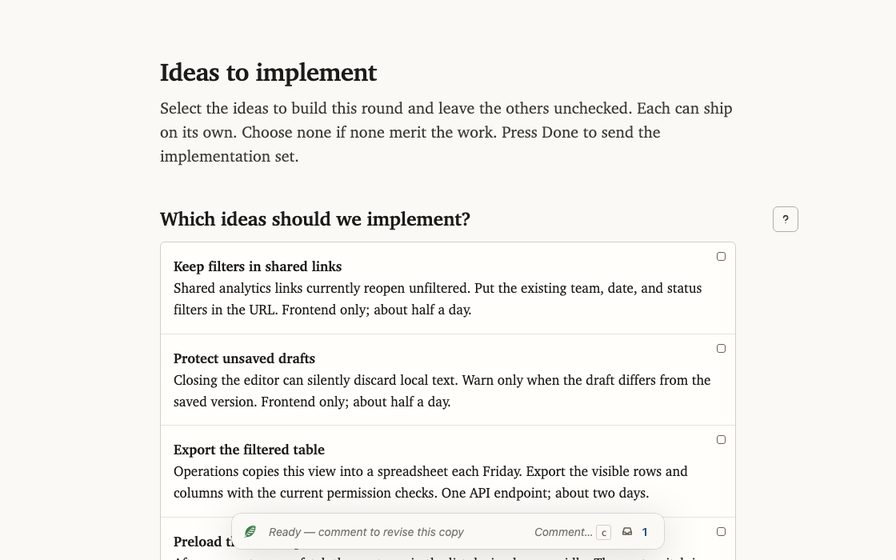 Product review
Choose ideas to implement
Review four independent product improvements, choose the final implementation set.
Open full page
Product review
Choose ideas to implement
Review four independent product improvements, choose the final implementation set.
Open full page
-
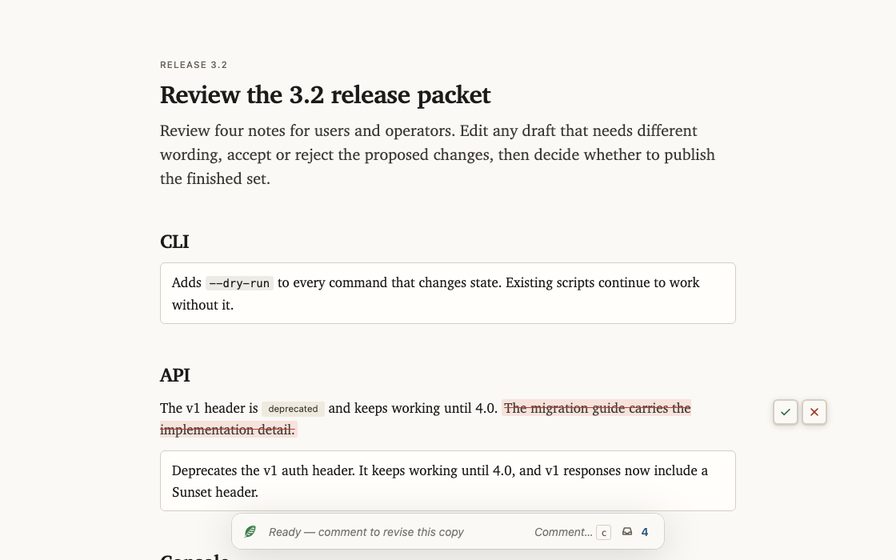 Release notes
Review edits
Rewrite a release note in place, accept or reject each proposed edit beside the words it changes, then decide whether to publish the finished set.
Open full page
Release notes
Review edits
Rewrite a release note in place, accept or reject each proposed edit beside the words it changes, then decide whether to publish the finished set.
Open full page
-
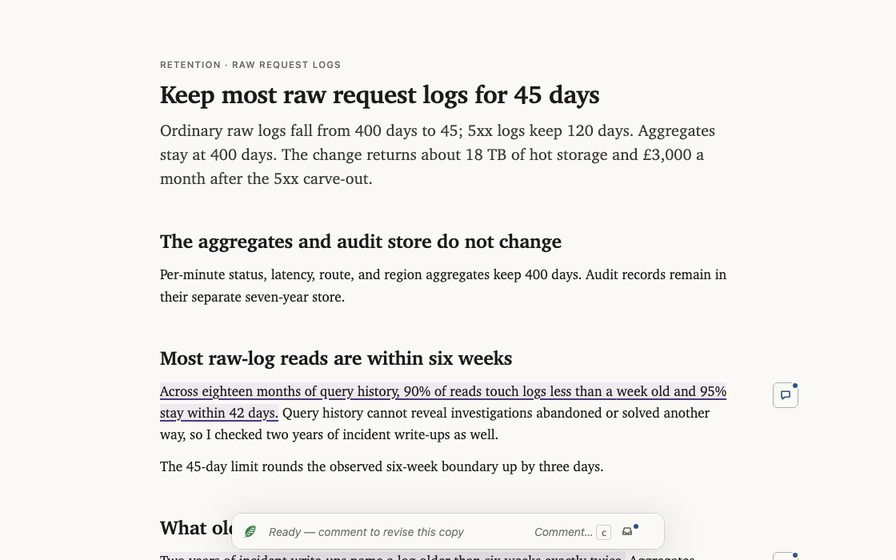 Retention policy
Revise from feedback
A proposal cuts raw request logs from 400 days to 45, and a revised version answers a user's comment on the failure-log exception.
Open full page
Retention policy
Revise from feedback
A proposal cuts raw request logs from 400 days to 45, and a revised version answers a user's comment on the failure-log exception.
Open full page
-
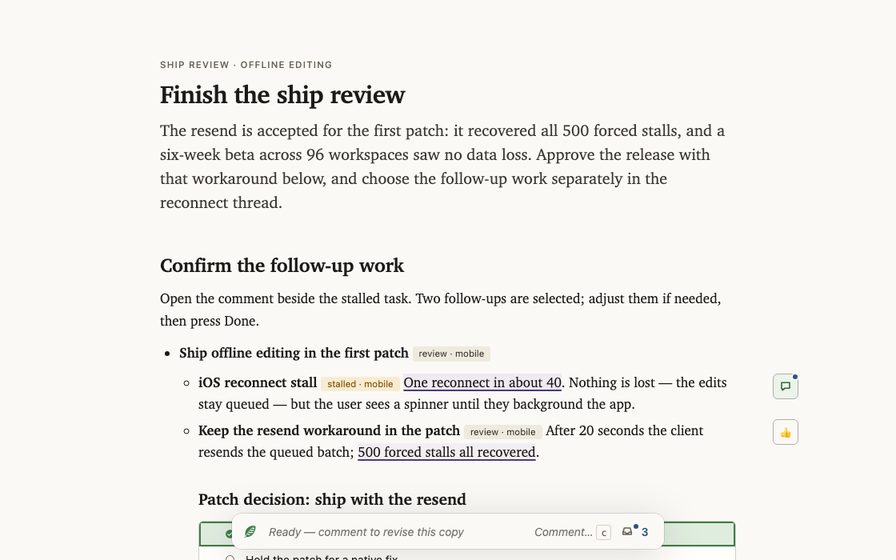 Offline editing
Resolve a review thread
Read the reconnect objection and the workaround that was accepted, then choose the remaining follow-up work and decide whether the iOS release ships.
Open full page
Offline editing
Resolve a review thread
Read the reconnect objection and the workaround that was accepted, then choose the remaining follow-up work and decide whether the iOS release ships.
Open full page
-
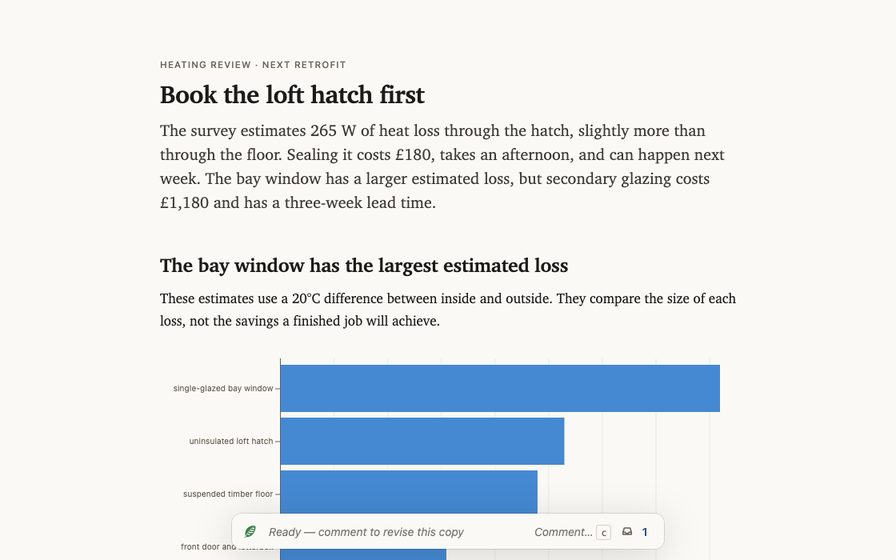 Home heating
Compare options
Compare the heat loss, cost, and lead time of three retrofits, then book the one to do first.
Open full page
Home heating
Compare options
Compare the heat loss, cost, and lead time of three retrofits, then book the one to do first.
Open full page
-
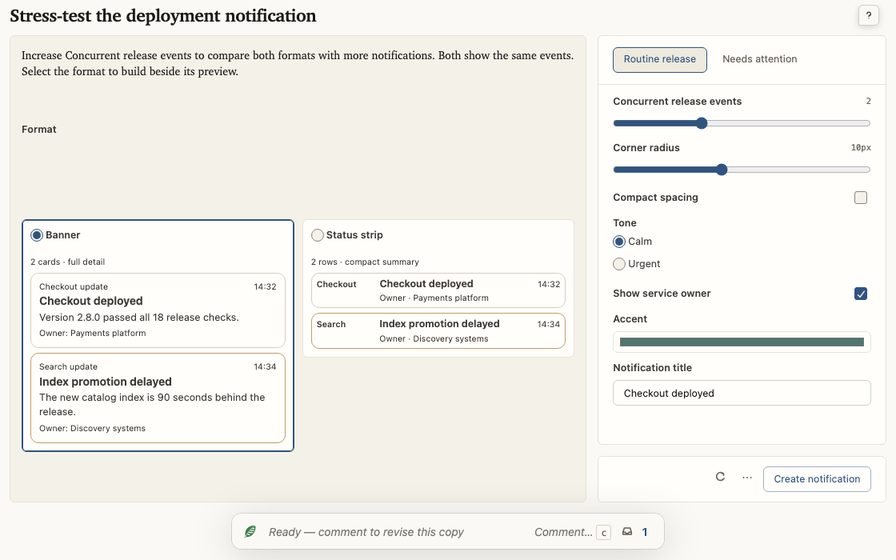 Deployment notice
Stress-test a result
Stress-test two deployment notification formats against the same live event stream, then send the chosen configuration back to the agent.
Open full page
Deployment notice
Stress-test a result
Stress-test two deployment notification formats against the same live event stream, then send the chosen configuration back to the agent.
Open full page
-
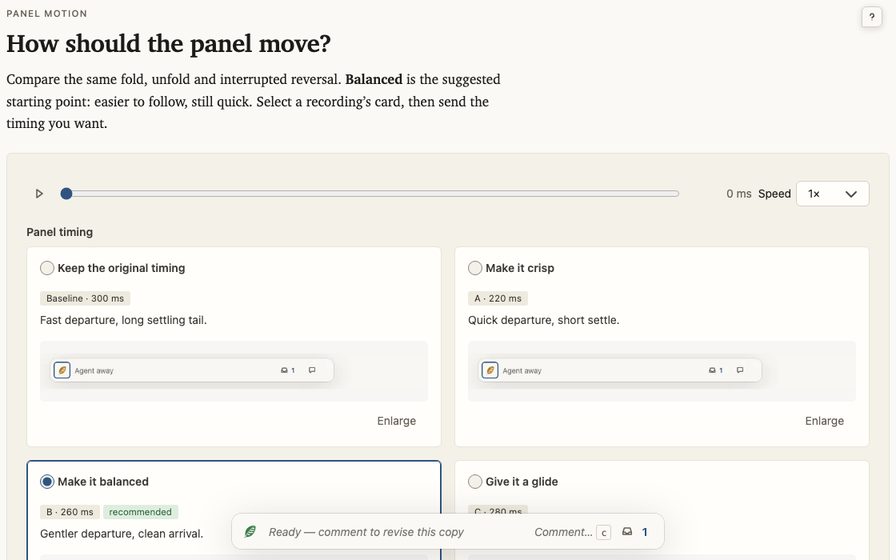 Panel motion
Choose the animation
Compare real panel recordings on one timeline, choose the preview you prefer, and send its timing as a playground configuration.
Open full page
Panel motion
Choose the animation
Compare real panel recordings on one timeline, choose the preview you prefer, and send its timing as a playground configuration.
Open full page
-
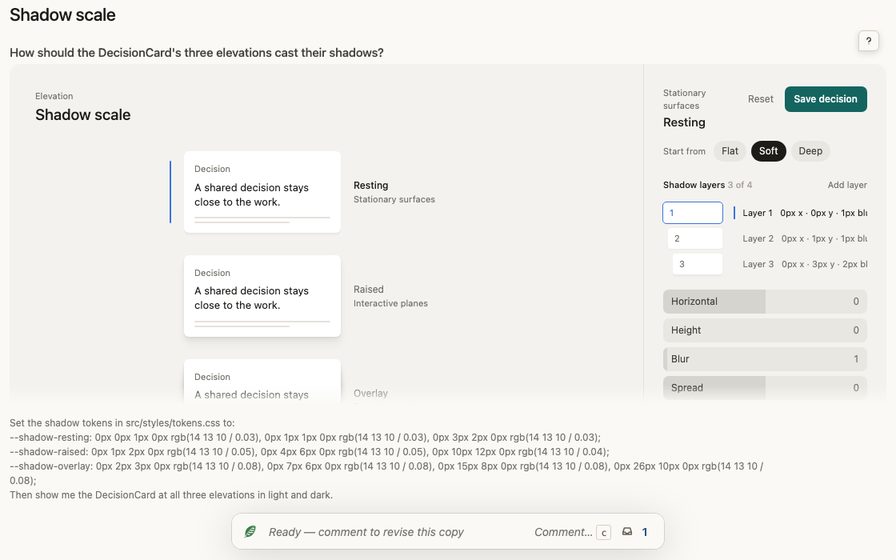 Design tokens
Tune a shadow scale
Tune the three elevation shadows of the DecisionCard on the real card, then save the scale.
Open full page
Design tokens
Tune a shadow scale
Tune the three elevation shadows of the DecisionCard on the real card, then save the scale.
Open full page
Specialized examples
Data-backed reports and workspaces for live operations and code review, and an animated process explained step by step. The release query explorer shows structured filters, while the built code-reader comparison combines controlled A/B settings with design comments on stable reader elements.
-
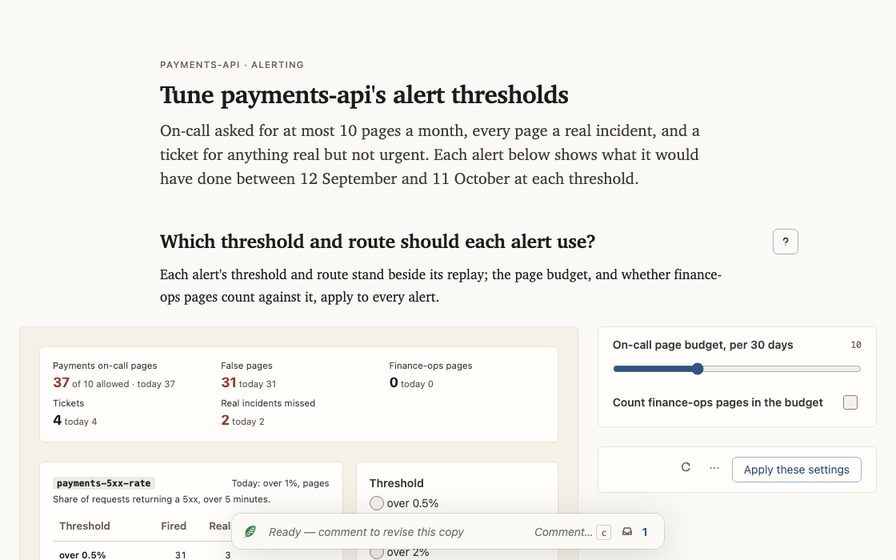 Payments monitoring
Tune alert thresholds
Set each payments-api alert's threshold and route beside its 30-day replay, hold on-call to a page budget, and send the settings back to the agent.
Open full page
Payments monitoring
Tune alert thresholds
Set each payments-api alert's threshold and route beside its 30-day replay, hold on-call to a page budget, and send the settings back to the agent.
Open full page
-
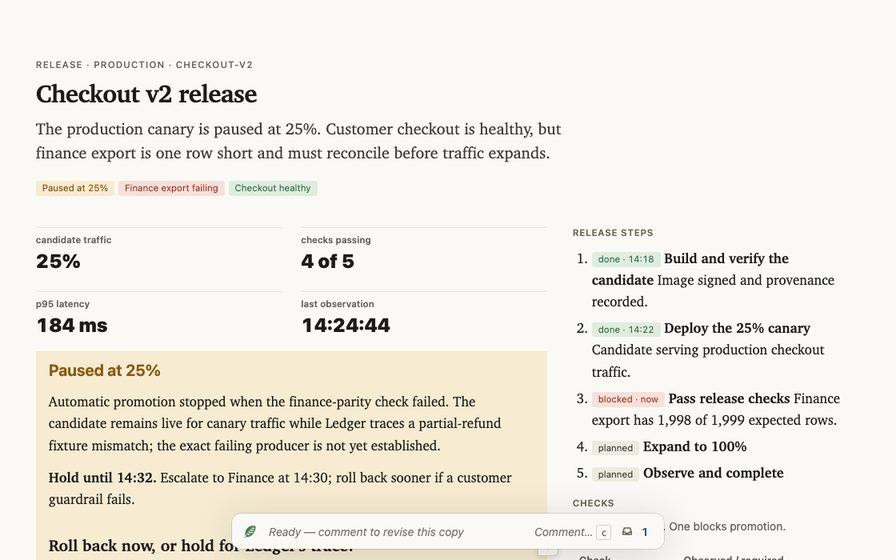 Active deployment
Track a release
Follow an active checkout release through its current state, rollout steps, named checks, live log, rollback evidence, release notes, and code changes.
Open full page
Active deployment
Track a release
Follow an active checkout release through its current state, rollout steps, named checks, live log, rollback evidence, release notes, and code changes.
Open full page
-
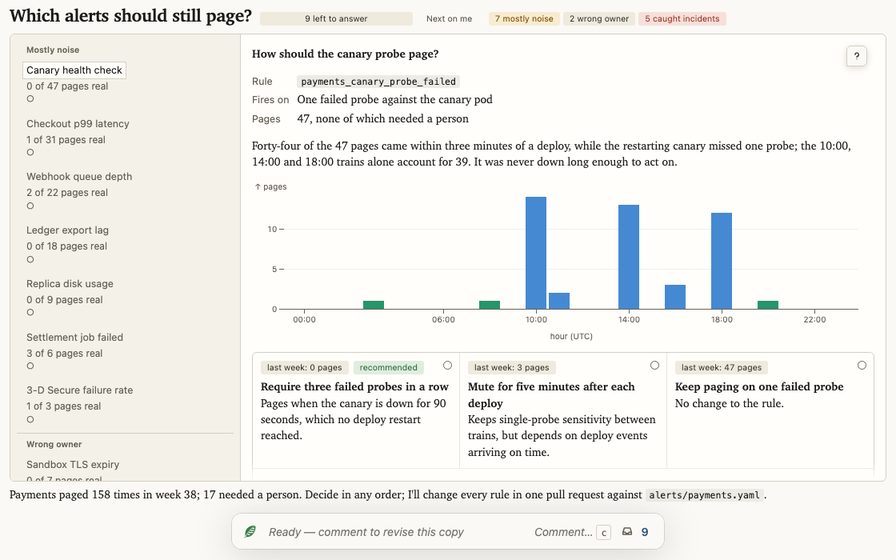 On-call review
Work through a queue
Work through a week of payments pages in a queue beside its evidence: see which alerts caught real incidents, then decide how each noisy one should change.
Open full page
On-call review
Work through a queue
Work through a week of payments pages in a queue beside its evidence: see which alerts caught real incidents, then decide how each noisy one should change.
Open full page
-
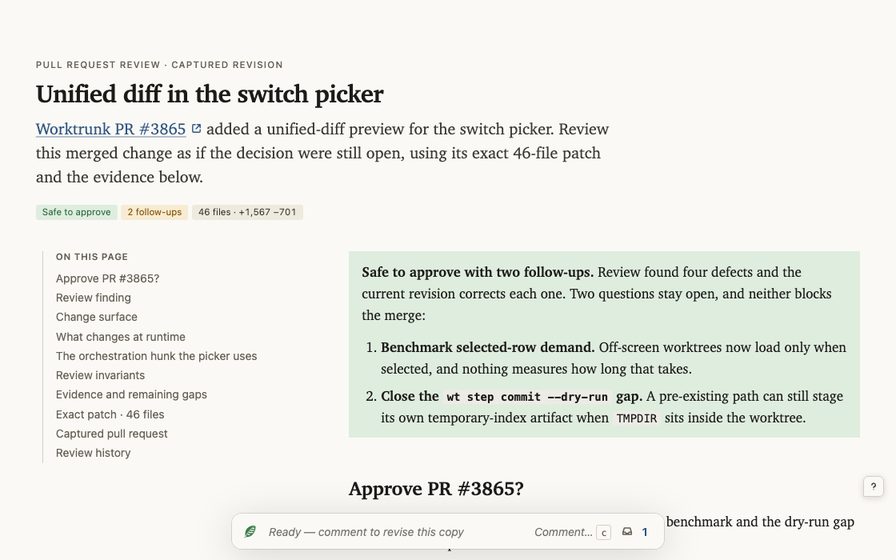 Worktrunk change
Review a pull request
Review a merged Worktrunk pull request as if the decision were still open, with its 46-file patch, diagrams, and review evidence on the page.
Open full page
Worktrunk change
Review a pull request
Review a merged Worktrunk pull request as if the decision were still open, with its 46-file patch, diagrams, and review evidence on the page.
Open full page
-
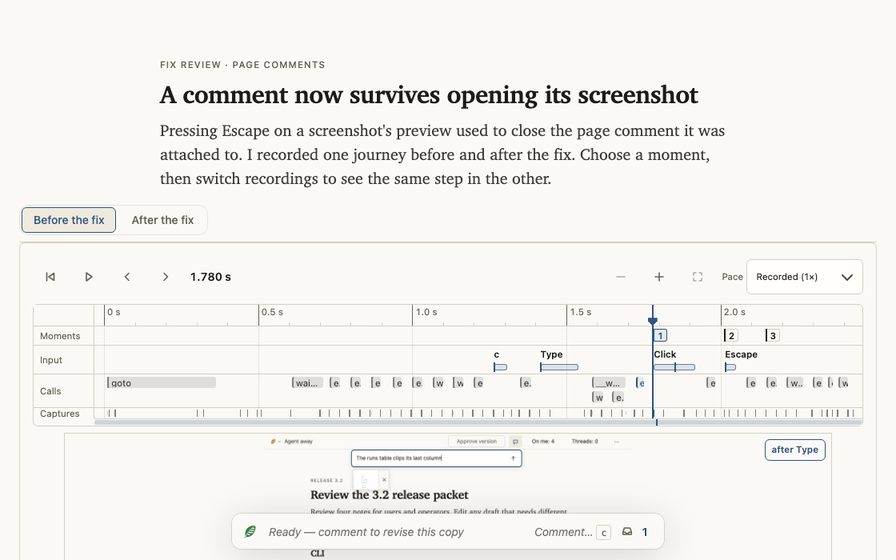 Browser fix
Check a fix against its recordings
Compare one browser journey recorded before and after a fix, jump both recordings to the same step, and decide whether the fix ships.
Open full page
Browser fix
Check a fix against its recordings
Compare one browser journey recorded before and after a fix, jump both recordings to the same step, and decide whether the fix ships.
Open full page
-
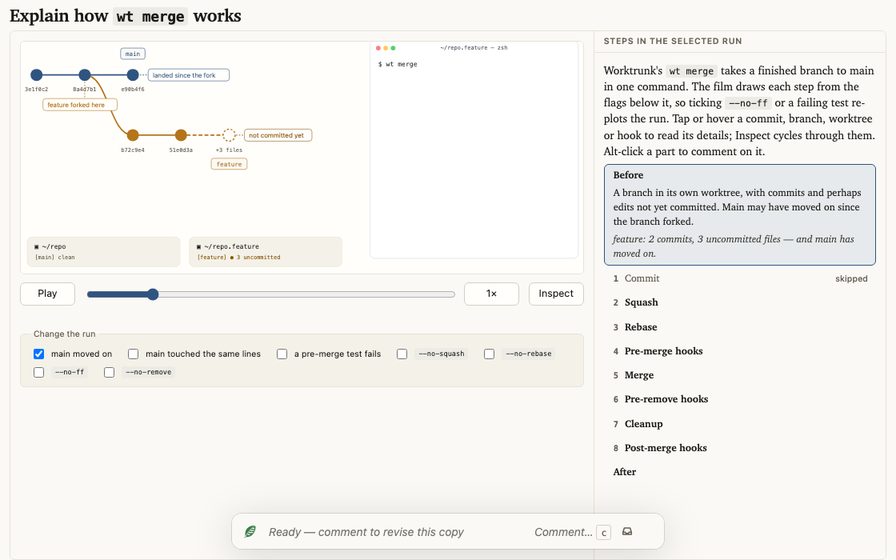 Animated explainer
Explain how wt merge works
An interactive film of Worktrunk's wt merge, drawn live from flags and a scenario, beside the steps it runs. Flip a flag to re-plot the run, and comment on any commit, branch or hook.
Open full page
Animated explainer
Explain how wt merge works
An interactive film of Worktrunk's wt merge, drawn live from flags and a scenario, beside the steps it runs. Flip a flag to re-plot the run, and comment on any commit, branch or hook.
Open full page
-
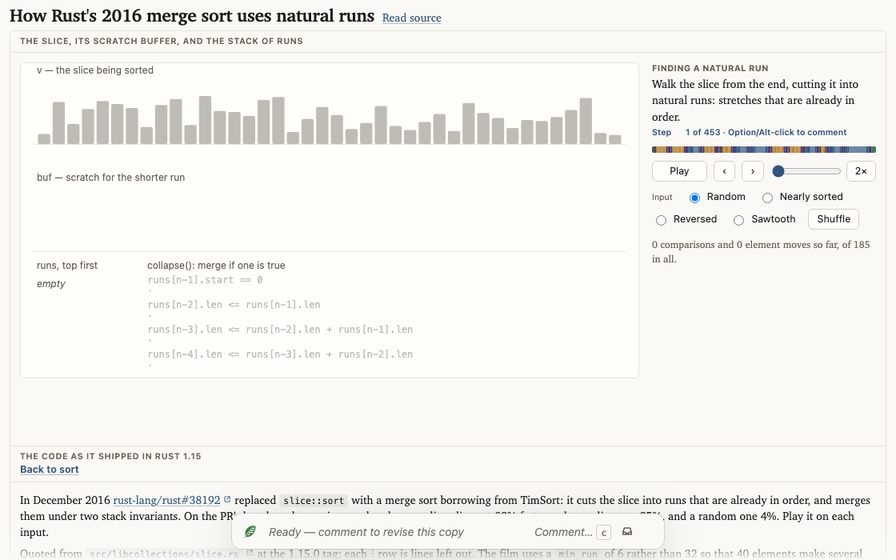 Animated explainer
Explain Rust's 2016 merge sort
An animated trace of the merge sort Rust shipped in 1.15: natural runs, insertion-sort extension, the run stack's invariants, and merges through a half-size buffer, beside excerpts of the real source.
Open full page
Animated explainer
Explain Rust's 2016 merge sort
An animated trace of the merge sort Rust shipped in 1.15: natural runs, insertion-sort extension, the run stack's invariants, and merges through a half-size buffer, beside excerpts of the real source.
Open full page
-
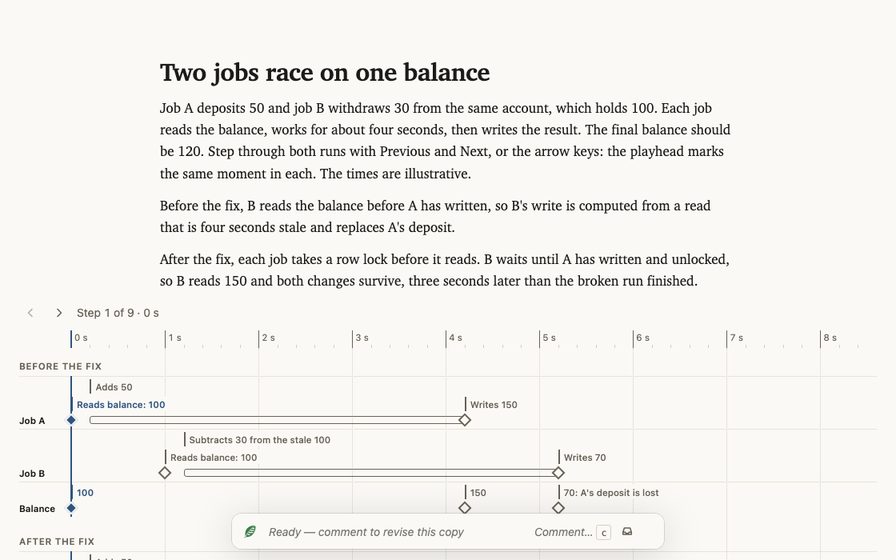 Step-through explainer
Step through a race between two jobs
A lost update between two concurrent jobs, stepped through before and after a row lock.
Open full page
Step-through explainer
Step through a race between two jobs
A lost update between two concurrent jobs, stepped through before and after a row lock.
Open full page
-
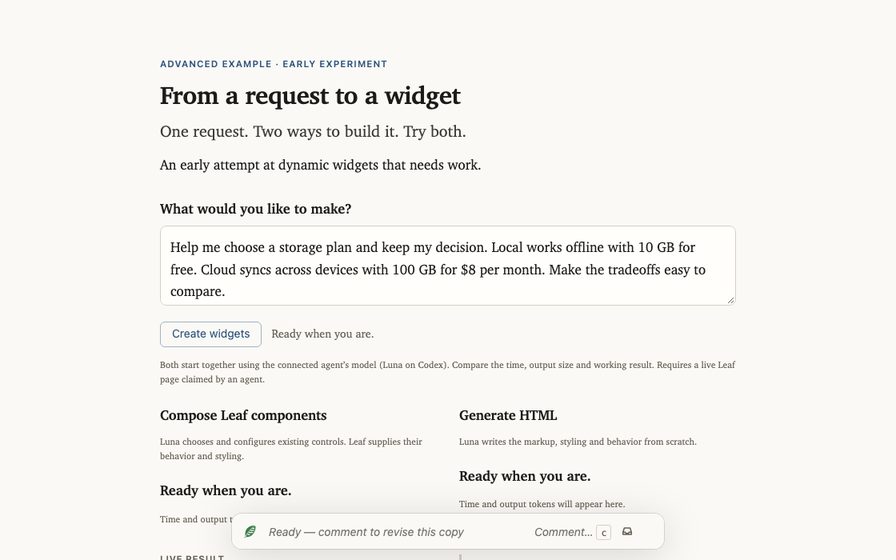 Advanced · early experiment
From a request to a widget
Type one request and compare live Leaf component composition with generated HTML, using the same model. An early attempt at dynamic widgets that needs work.
Open full page
Advanced · early experiment
From a request to a widget
Type one request and compare live Leaf component composition with generated HTML, using the same model. An early attempt at dynamic widgets that needs work.
Open full page
developer tools
Inspect the product
These developer pages are for debugging Leaf itself. The core product gallery keeps Leaf’s controls and its core interactions on one page; optional widgets live with their working examples in the extension guide.
Core product gallery Leaf chrome and every default-package widget on one synthetic page, with core interactions to try live. Open gallery Threads gallery Four live panel views: open threads, On me, resolved, and a summarized discussion. Open gallery